GoFast Delivery Apps
Download our mobile apps for iOS and Android
How to Install
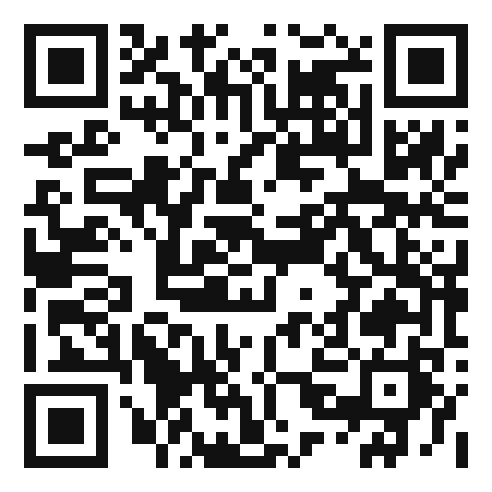
Scan or tap Install
One QR works for Android and iPhone — install starts automatically
Install starts
Your phone starts the matching Android or iOS package
Confirm if asked
If the phone shows a system Install prompt, that’s the last step
Login & Go!
Login with your credentials and start using
Android — step by step
Use Chrome on the phone. This installs the GoFast or GoFast Driver APK (not from Play Store).
- Open this page on the phone — scan the QR below, or go to gofastdelivery.mu/apps.html.
- If you opened the link in WhatsApp, Facebook or Instagram: tap the ⋮ menu (or “Open in browser”) and choose Chrome. In-app browsers often block the download.
- Tap Auto install — Android & iOS for Customer or Driver.
- The APK file downloads (GoFast.apk or GoFast-Driver.apk). A download notification appears.
- Open the file from the notification, Files, or Chrome → Downloads.
- If Android says “For your security, your phone cannot install unknown apps”: tap Settings → allow Install unknown apps for Chrome (or Files) → go back and tap Install again.
- Tap Install, wait until it finishes, then tap Open.
- Find the GoFast icon on your home screen or app list, then log in.
Samsung / Xiaomi / Huawei: if Smart Protection or Play Protect warns you, choose Install anyway — this file comes from gofastdelivery.mu, not a random site.
iPhone & iPad — step by step
You must use Safari. Chrome, Chrome tabs inside WhatsApp, and Instagram will not finish the install.
- Open Safari on the iPhone or iPad.
- If someone sent the link in WhatsApp: tap it, then tap … or the Safari icon → Open in Safari.
- Go to gofastdelivery.mu/apps.html or scan the QR with the Camera app (then Open in Safari).
- Tap Auto install — Android & iOS for Customer or Driver.
- Safari will offer a configuration profile (or an Install App prompt). Tap Allow / Install.
- Leave Safari. Open Settings. At the top you should see Profile Downloaded (or Settings → General → VPN & Device Management).
- Tap the GoFast profile → Install → enter your iPhone passcode → Install again → Done.
- Go to the Home Screen. The GoFast (or GoFast Driver) icon is there like a normal app. Open it and log in.
If you do not see “Profile Downloaded”: Settings → General → VPN & Device Management. If Install is greyed out, you need the phone passcode (or Screen Time / MDM restrictions must allow profiles).
GoFast
Book deliveries, track shipments, and manage your orders on the go
Features:
- Quick shipment booking
- Real-time tracking
- Order history
- Push notifications
- Price calculator
Scan to Install
One code for both phones. Scanning starts the install.
 Android & iOS
GoFast Driver
Manage deliveries, scan parcels, and track earnings
Features:
- Delivery management
- QR code scanner
- Route optimization
- Earnings dashboard
- Photo proof upload
Scan to Install
One code for both phones. Scanning starts the install.
 Android & iOS